Open ChatGPT, Claude, or Gemini, scroll up to a message you sent earlier, and hover over the bubble. A small pencil icon appears next to it. It has been sitting there for months. Most people who use these chats every day have either never clicked it, or clicked it once, watched the chat shorten, and quietly moved on.
Click it once and you’ll see why. The pencil opens an inline editor with your old prompt pre-loaded. Change a word, hit save (or Update, depending on the tool), and the visible thread changes shape.
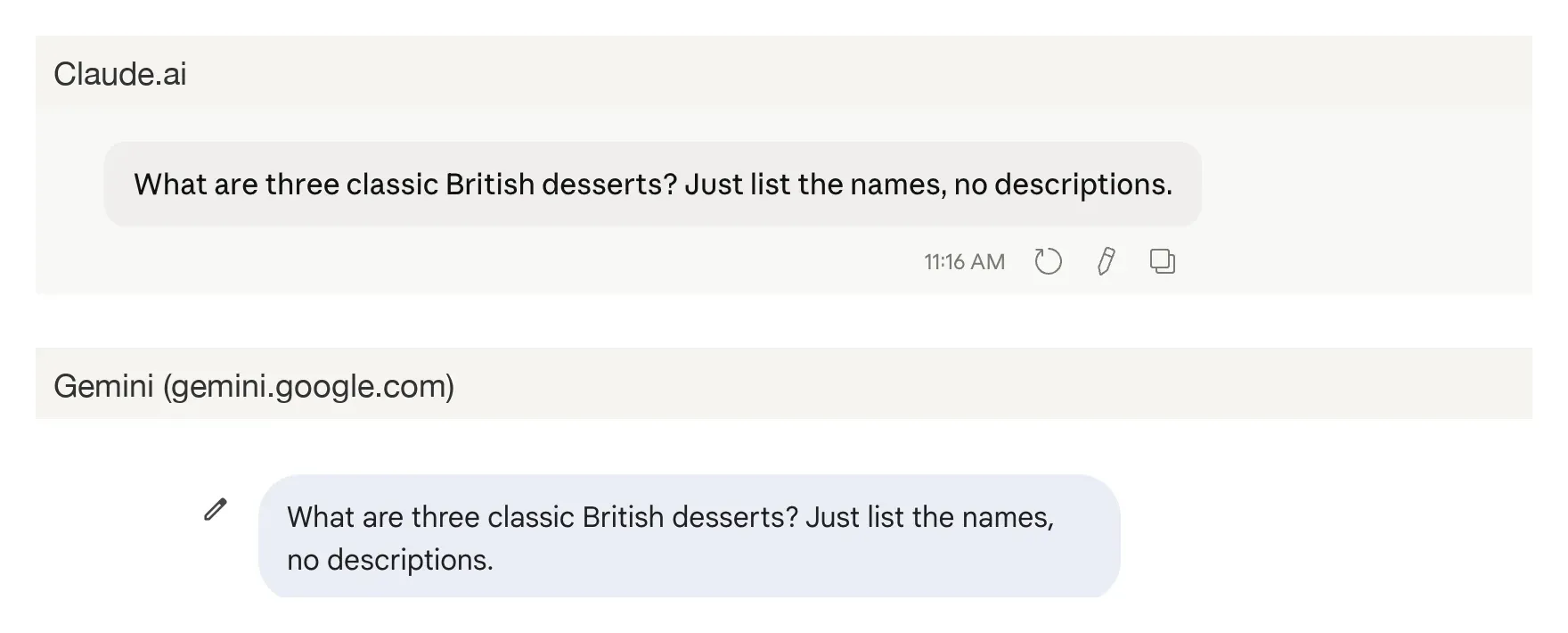
On Claude and ChatGPT, the pencil saves both versions of the message. The original prompt and its reply stay one click away, behind a small < > toggle. On Gemini, the pencil replaces what was there. The original is gone from the thread, with no in-conversation way back. Same icon, two very different consequences.
Claude tells you, on screen, that it’s saving the original
In Claude, the inline editor opens with a small panel underneath it that, in plain English, tells you what’s about to happen: “Editing this message will create a new conversation branch. You can switch between branches using the arrow navigation buttons.”
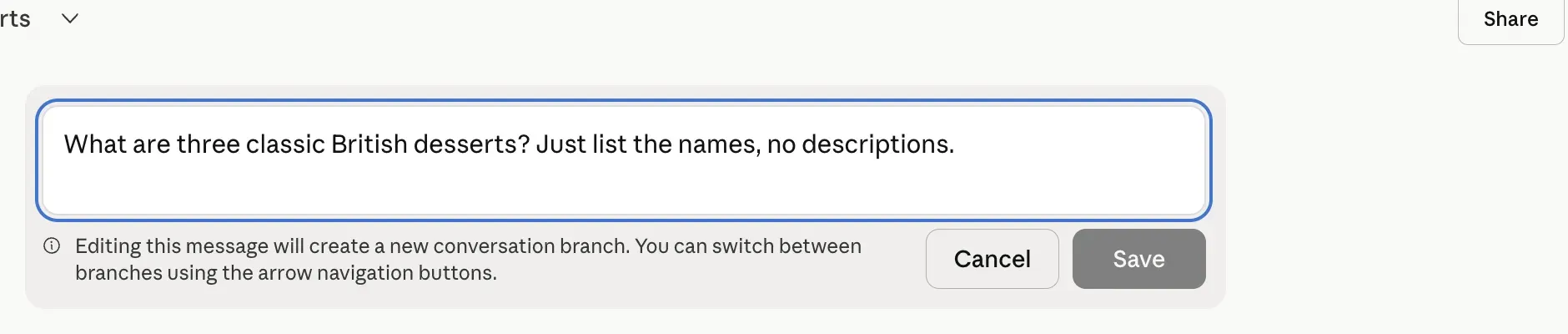
Save the edit and Claude makes a copy of the conversation up through the message you changed, runs the AI again on the new version, and shows you only that one. The original is still reachable, behind a small < 1/2 > indicator next to the edited message. Click the arrow and you’re back on the original thread.

Manish Bansilal Choudhary, in a Medium piece on Claude’s editing behavior, describes the practical mechanic: “The old branch does not disappear from your screen. You can still navigate back to it using the arrows Claude shows you. But Claude only works from whichever branch you are currently on.” In other words, Claude saves both versions, but only “remembers” the one you’re looking at. A follow-up on the new version has no idea what was said on the old. If you want to test two framings of the same question, branching pairs well with the Pre-Mortem and Devil’s Advocate patterns in the prompts cheat sheet.
The counter that lets you switch is the part most people miss until someone points at it. Of the three tools, Claude is the only one that says any of this out loud while you’re editing.
ChatGPT does the same thing, more quietly
ChatGPT saves both versions the same way Claude does. What’s different is what isn’t there. No banner. No “this will create a new branch.” The thread just shortens, a small toggle slides into place next to the edited message, and you’re expected to figure out what happened.
The toggle is rendered as < > arrows in some builds and as a numbered <2/2> in others. The canonical OpenAI Developer Community thread is the human shape of the learning curve: a user edits a middle message, watches the visible chat shrink, posts in alarm, gets pointed at the <2/2> toggle, and replies with relief that “at least that the info is not lost.”
One caveat: the toggle has been intermittently missing on a recent ChatGPT web update, with the older version still saved on OpenAI’s end and only the UI cue gone for some users. The older version is still there either way. The toggle is the way back when it appears.
Gemini’s pencil overwrites, with no way back
Gemini’s pencil opens an inline editor above the message, with Cancel and Update buttons. So far it looks like Claude and ChatGPT. Click Update and the difference shows up immediately. The original prompt and the original Gemini reply are removed from the visible thread. There is no < > toggle. There is no second branch. The chat history sidebar still lists the conversation under its old title, but the old turn inside it is gone, replaced by the edited prompt and a fresh reply. Verified live on May 5, 2026 in both Fast and Thinking modes.
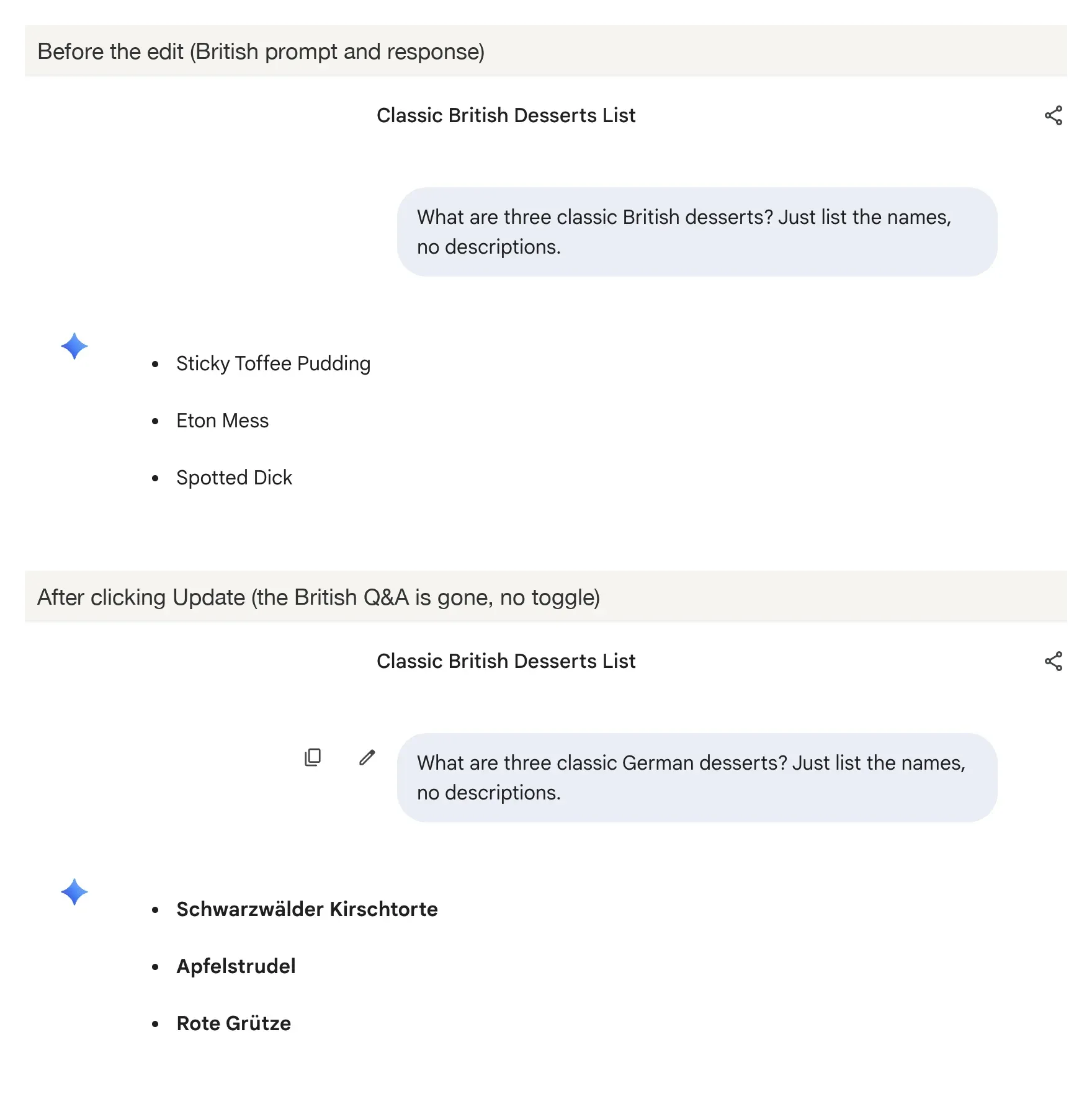
Gemini’s behavior changed inside the last couple of weeks. Earlier writeups describe a different mechanic in which the pencil dropped your old prompt back into the input box and left the original Q&A untouched. Not anymore. Re-test before trusting old descriptions of a Google product.
This is a destructive overwrite.
The practical rule
On Claude and ChatGPT, edit freely. The original is preserved behind the toggle next to your edited message: < 1/2 > or < > arrows.
On Gemini, edit only when you don’t want the original back. If there’s any chance you’ll want the prior Q&A, send a follow-up message instead of editing the old one.
If a Claude or ChatGPT chat looks shorter after an edit, nothing’s lost. Scroll to the edited message, find the toggle, click. On Gemini, scrolling won’t help; the original is gone the moment you hit Update.
One pencil, two behaviors, one quietly destructive. Open whichever tool you used this morning and try the pencil on a message you’ve already sent. Whatever happens there is the one to remember, at least until the next Google update. For more cross-tool behaviors that look the same but aren’t, see the writing tells these models share.